Introduction #
I have updated Hugo and the Blowfish theme used to build my blog, so I am documenting the steps here for future reference.
| Before | After | |
|---|---|---|
| Hugo | 0.148.2 | 0.158.0 |
| Blowfish | 2.89.1 | 2.104.0 |
Changes in Blowfish #
The main changes in Blowfish from v2.89.1 to v2.104.0 are as follows:
Styling updates for code fence #
The contrast in code fence has been increased, making the text easier to read.
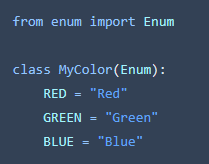
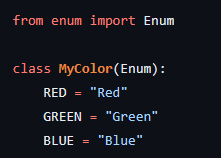
Displaying titles for code fence #
You can now display a title (such as a filename) at the beginning of a code fence (supported as of Blowfish v2.94.0).
Markdown:
```py {title="main.py"}
a = 1 + 2
```
HTML:
a = 1 + 2Hugo 0.158.0 or later is required #
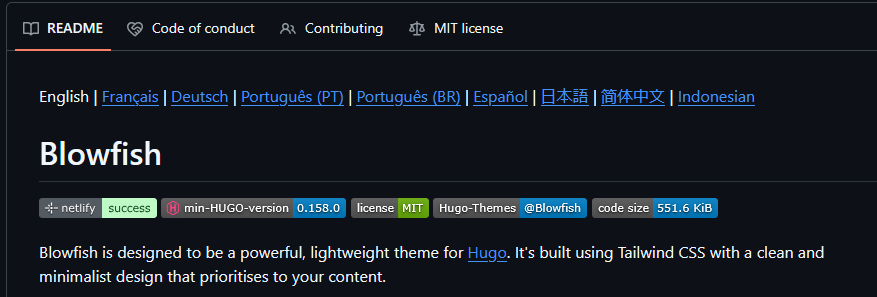
You can check the required Hugo version for Blowfish via the badge on the Blowfish GitHub page. Since upgrading Hugo too far might result in incompatibility with Blowfish, I use the Hugo v0.158.0.
How to update Blowfish #
I manage the Blowfish theme using git submodule.
assets/
config/
content/
layouts/
themes/blowfish/   <- managed by git submodule
...
Run the following command in the project’s root directory to update the Blowfish theme.
git submodule update --remote --mergeIf you have customized any files within the Blowfish theme, please update them. Specifically, for the files in the folders listed below, compare them against the latest version of the Blowfish theme and apply any necessary updates:
- Configuration files in the
config/folder - Partial HTML files in the
layouts/folder