Introduction #
This blog is built using the static site generator Hugo, which creates a website by generating HTML files from Markdown files.
To eliminate syntax errors and inconsistencies in how Markdown files are written, I have integrated a linting tool called rumdl. Since rumdl is written in Rust, it is highly performant.
In this article, I will cover the following:
- Setting up rumdl
- Highlighting rule violations within Visual Studio Code
- Automating checks before Git commits using prek
The environment is as follows:
- Windows 10 Home 22H2
- rumdl 0.3.5
- prek 0.5.11
- (Hugo 0.162.0 + Blowfish 3.10.0)
Setting up rumdl #
First, install rumdl. For Windows, run the following command:
winget install --id rvben.rumdl --exactNext, run the following command in the root directory of your Hugo project
to create the rumdl configuration file, .rumdl.toml.
rumdl initConfiguration File #
In most cases, the default configuration file should be perfectly fine. However, the following syntax (attributes), which is permitted by Goldmark Markdown (used in Hugo), will cause an error with the default settings in rumdl.
## Heading
{class="foo bar" id="baz"}
If this attributes syntax is to be permitted,
the configuration in .rumdl.toml should be set as follows.
[global]
flavor = "hugo"
Checks in VS Code #
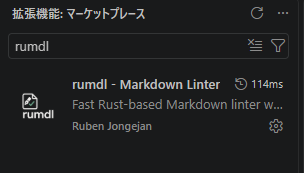
There is a VS Code extension for rumdl.
Once installed, it highlights rule violations.
You can find the extension by searching for “rumdl” in the marketplace.
Automated checks before Git commit #
When committing Markdown files to Git, you can perform automated checks using rumdl.
This is achieved by using a Git “pre-commit hook”, and a tool called prek.
The “pre-commit hook” is a mechanism that allows you to execute scripts before a commit takes place. prek is a tool written in Rust designed to manage pre-commit hooks.
On Windows, run the following command to install prek.
winget install --id j178.PrekNext, run the following command in the root directory of your Hugo project.
prek initThen, the configuration file for prek (prek.toml) will created,
and simultaneously Git pre-commit hook is set up.
Open prek.toml and add the following:
[[repos]]
repo = "https://github.com/rvben/rumdl-pre-commit"
rev = "v0.3.5"  # Lint only; add args [--fix] to auto-fix
hooks = [
  { id = "rumdl-check" },
]
Run the following command to add prek.toml to staging area.
git add prek.tomlSetup is now complete. When you commit a Markdown file, a check by rumdl will be automatically triggered. If an error is detected, the commit will be aborted.